01 / The client
Project overview: Ask My Lawyer
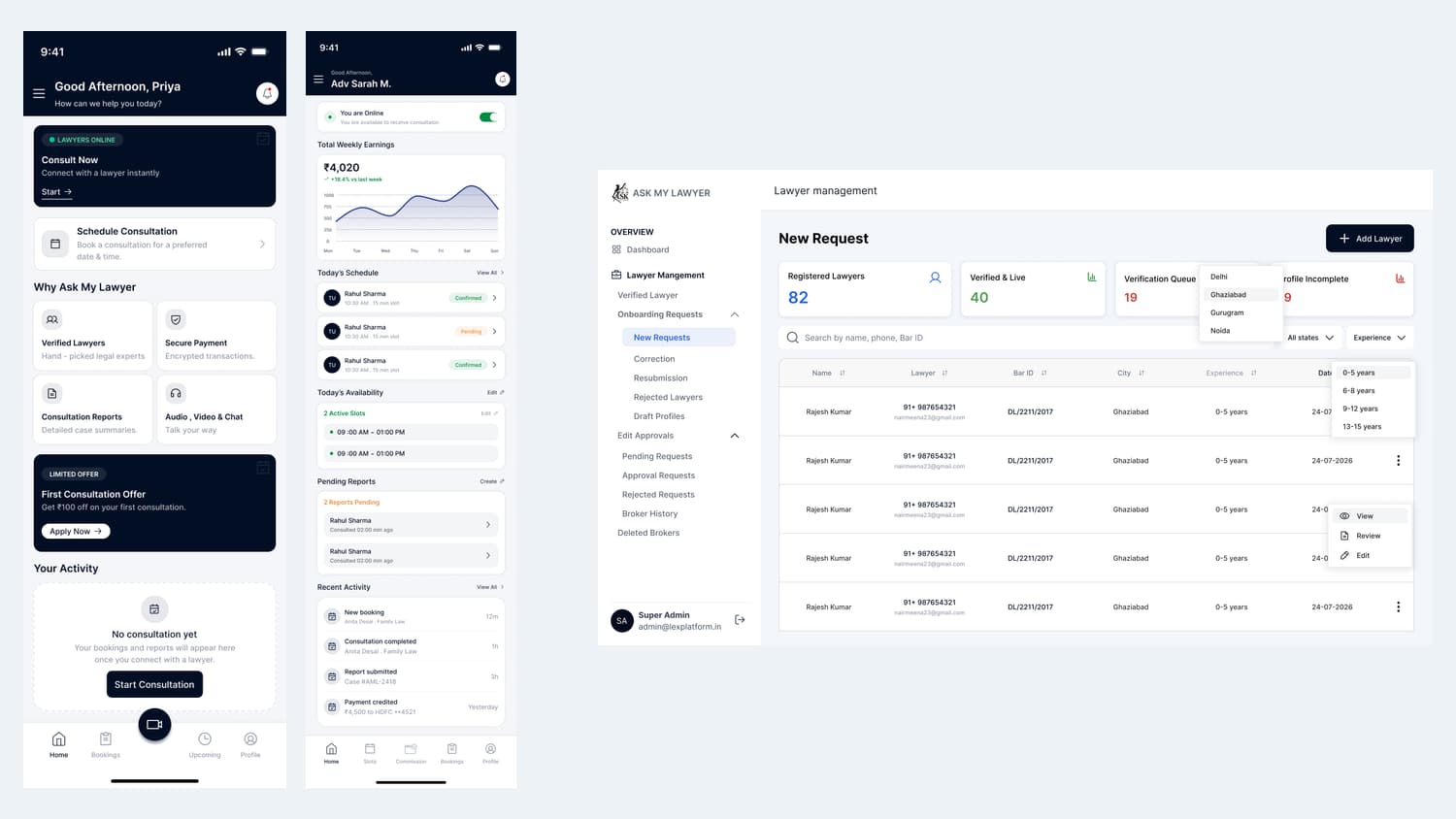
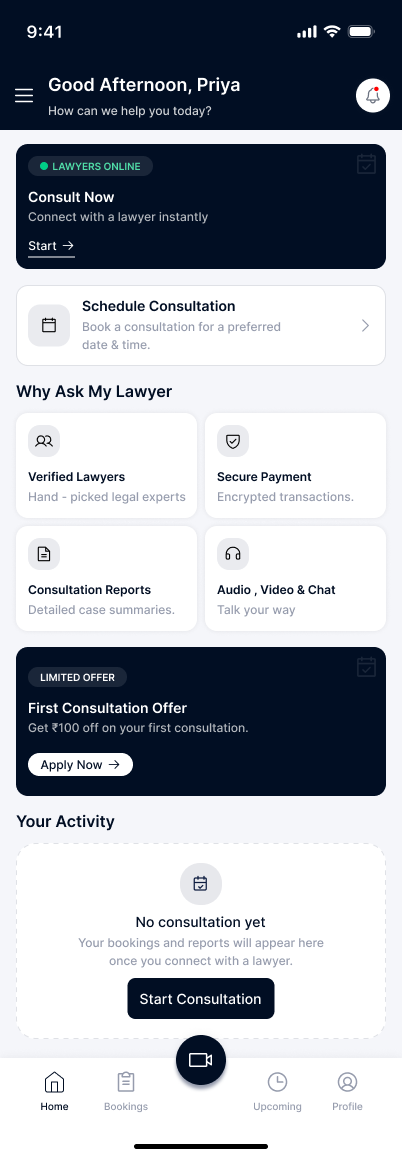
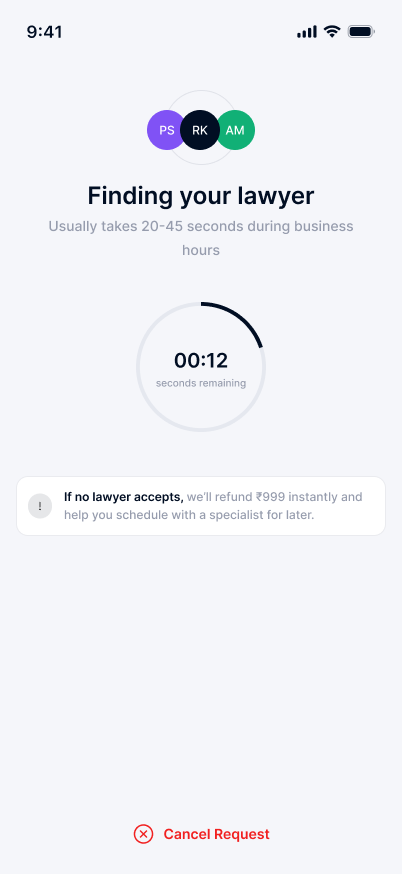
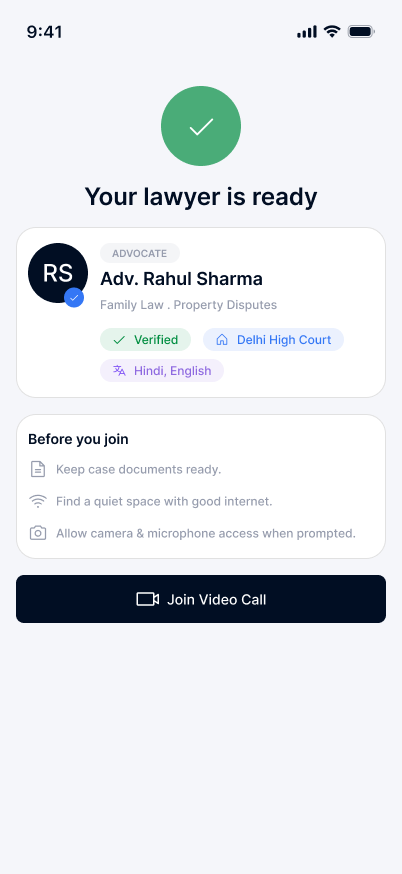
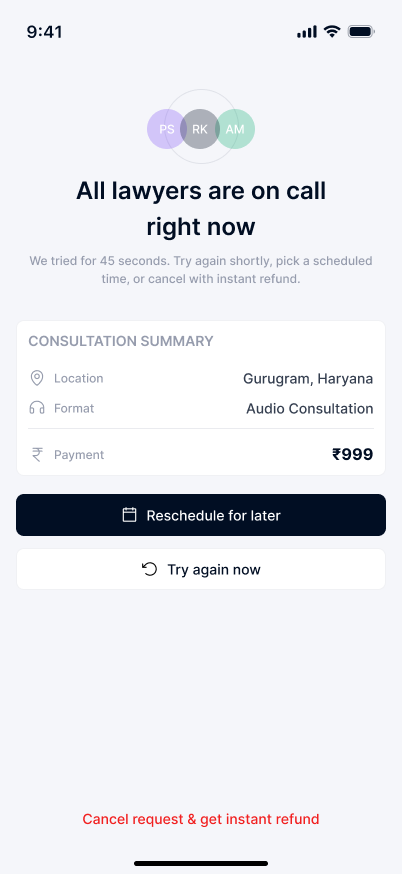
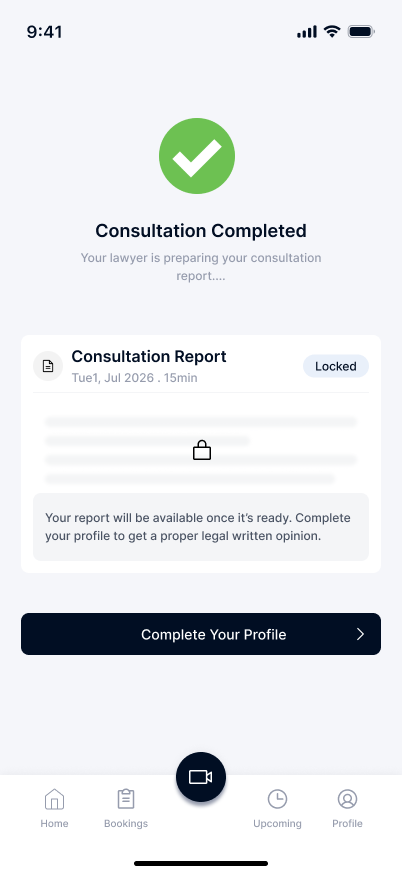
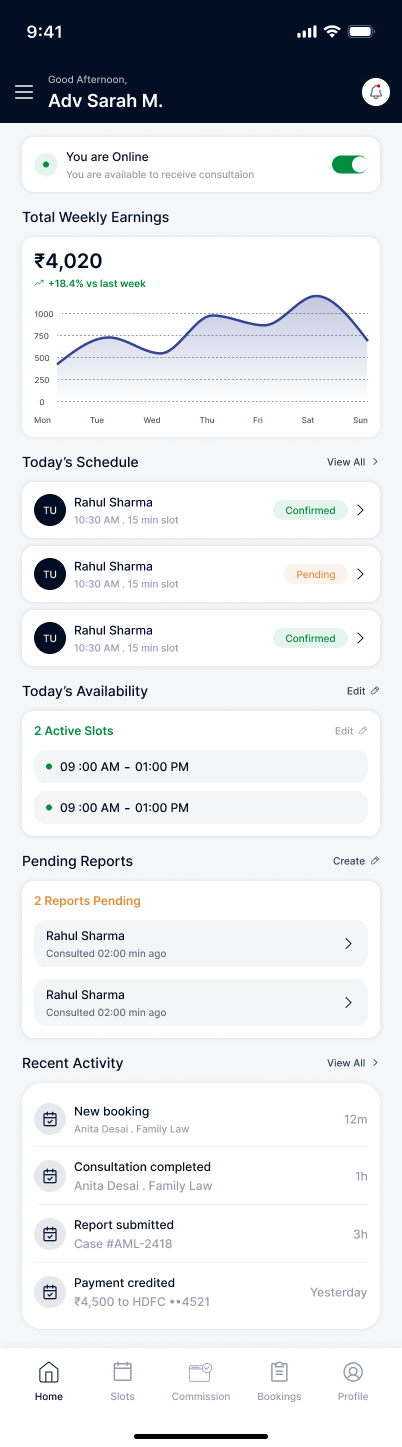
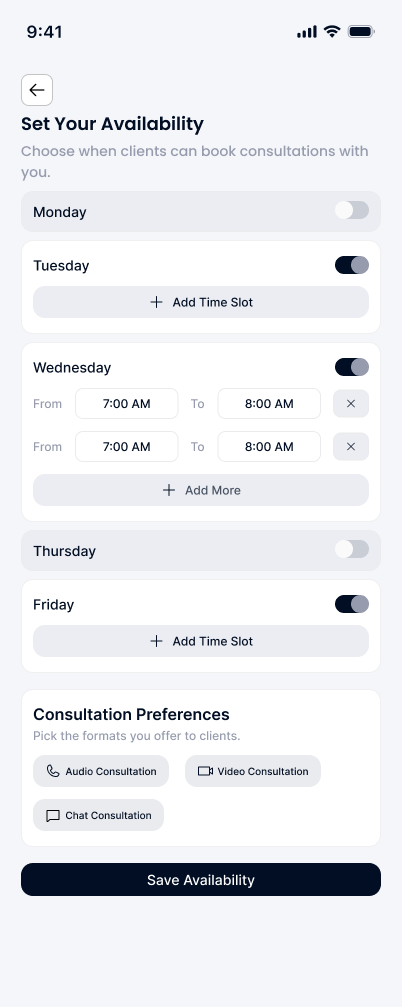
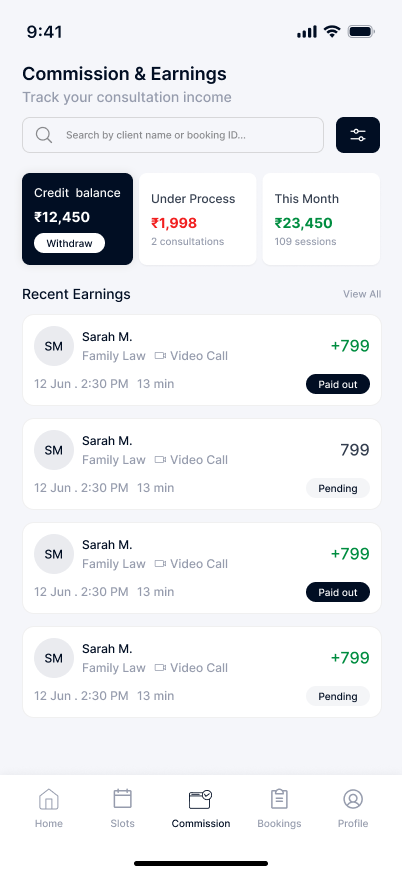
Ask My Lawyer connects client and lawyer app journeys for consultation booking, matching, reports and availability, with administration workflows supporting the service.
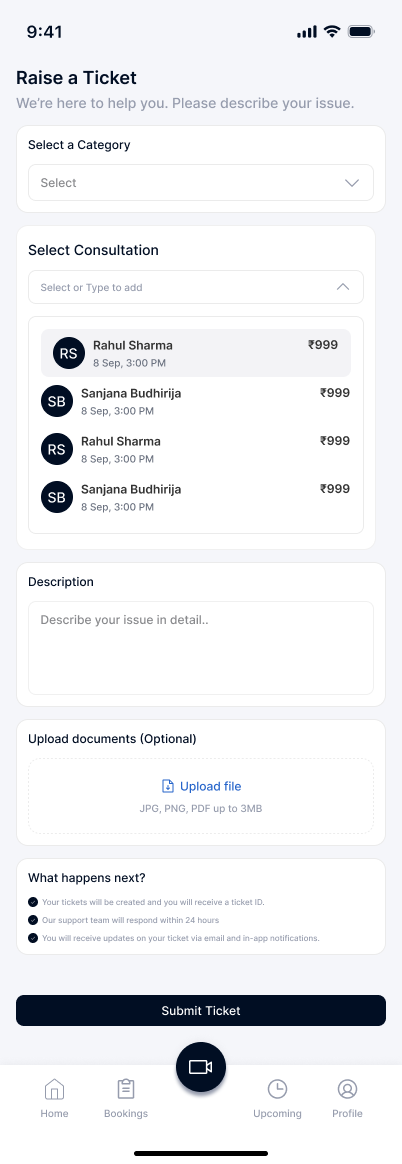
Clients arranging a consultation and lawyers managing availability need coordinated but different interfaces.
- Client flow: open home → choose immediate or scheduled consultation → describe the case.
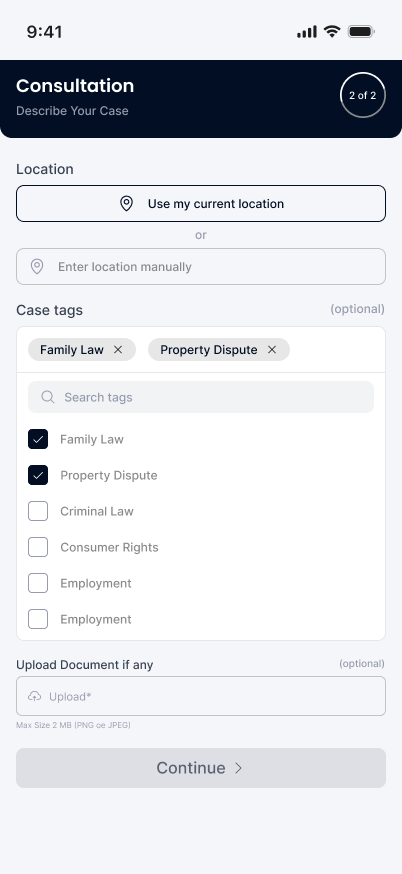
- Capture location and relevant case categories.
- Attach supporting documents when required.
- Industry
- Professional Services
- Services / expertise
- Mobile App · LegalTech Platform · Admin Portal · Consultation Booking
Planning a similar project? Explore our mobile app development and custom software development services.
02 / The project
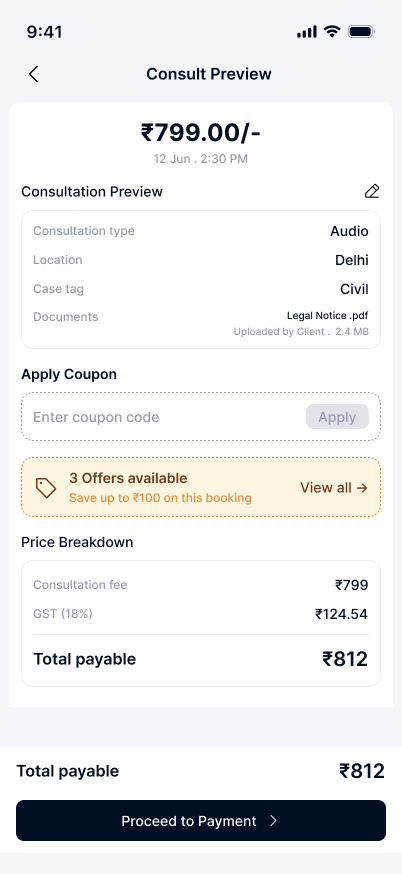
Review the consultation and payment details
The project connects the consultation request, practitioner-side activity and the administrative work supporting the service.
- Review consultation details before payment.
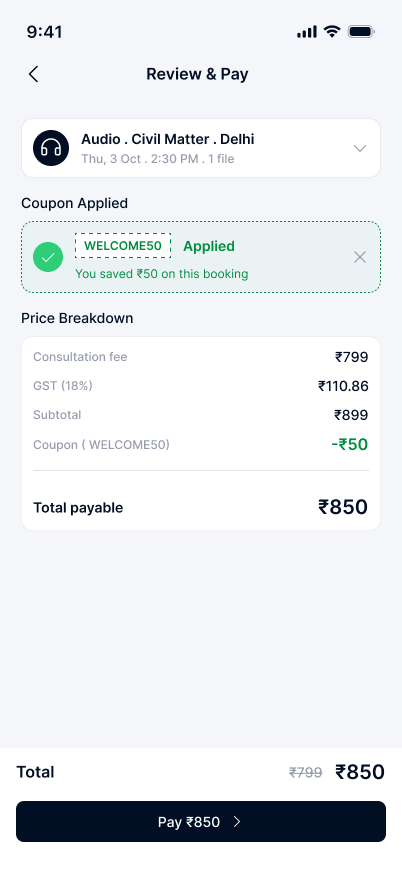
- Check the fee breakdown and any applied offer.
- Continue from the final payable-total screen.
07 / The project
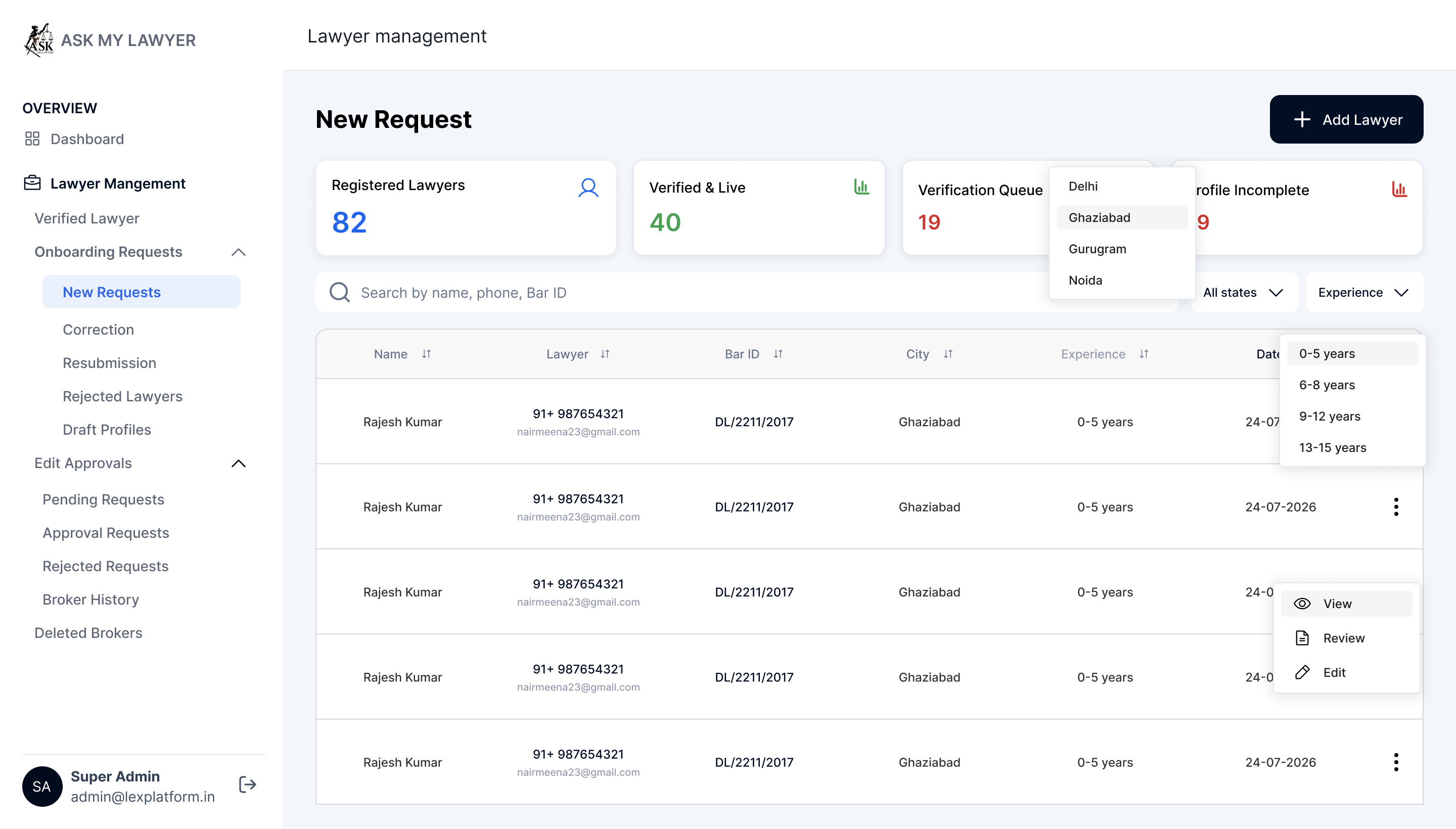
Admin portal: lawyer onboarding requests
- Admin flow: open lawyer-management queue → filter requests → select a profile.
- Review submitted information and the current request status.
- Move the request through the appropriate review step.
08 / The project
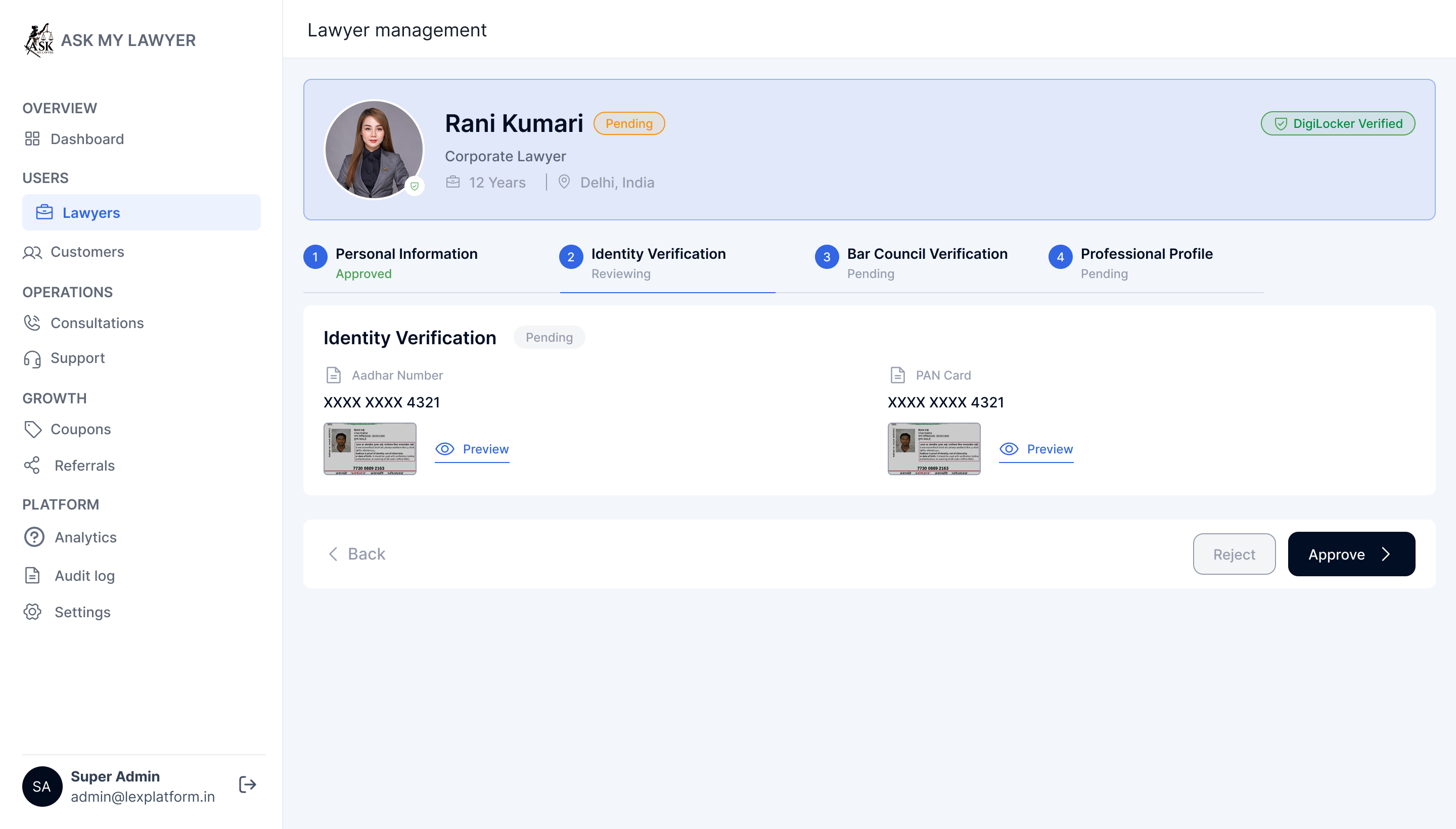
Admin portal: verification and document review
- Review each section of the lawyer profile.
- Inspect the submitted verification documents.
- Record a review action or request the required correction.
09 / The project
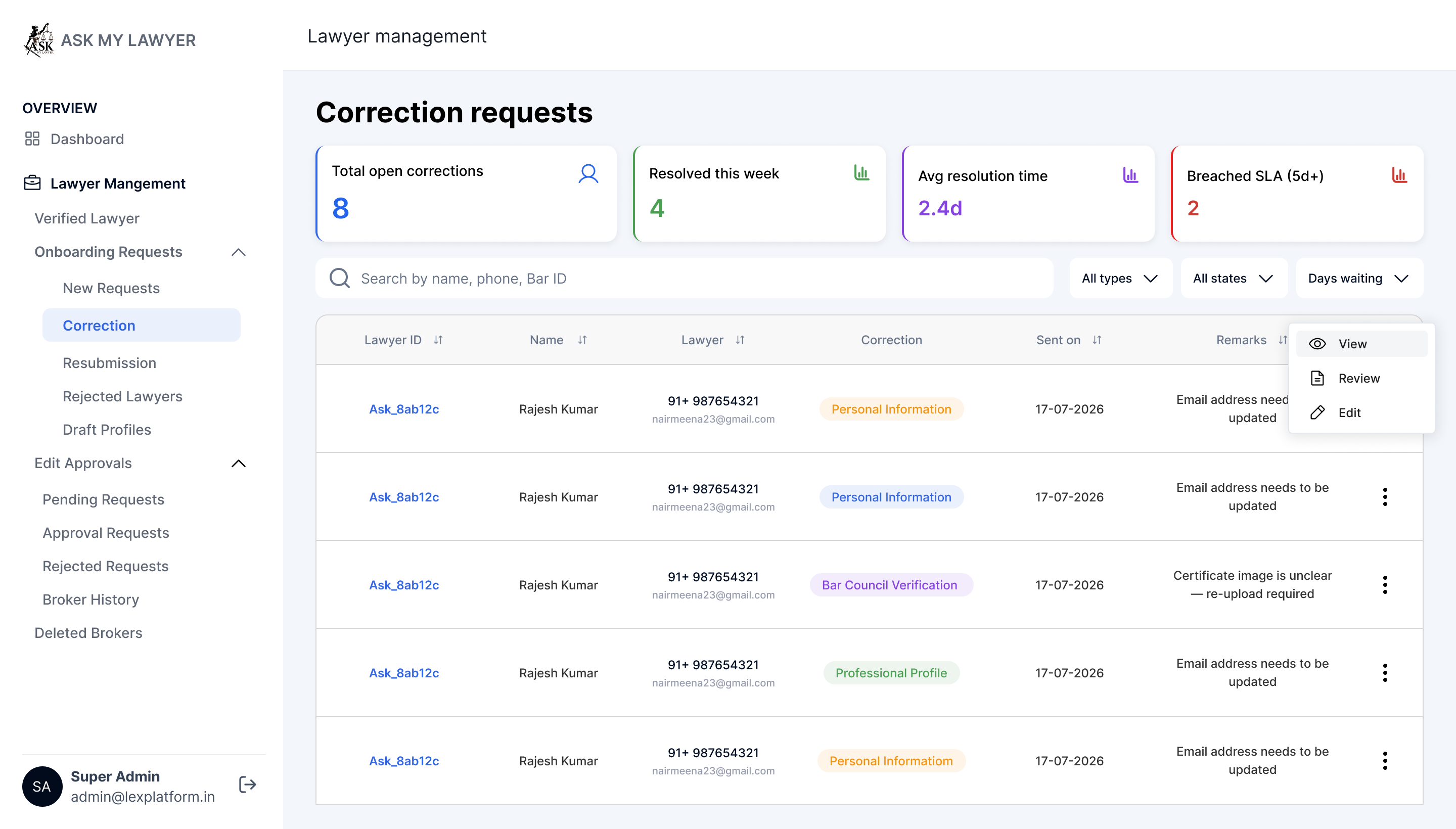
Admin portal: correction requests
- Filter the correction queue.
- Review the request and outstanding information.
- Follow up with the relevant lawyer before completing the review.
10 / The project
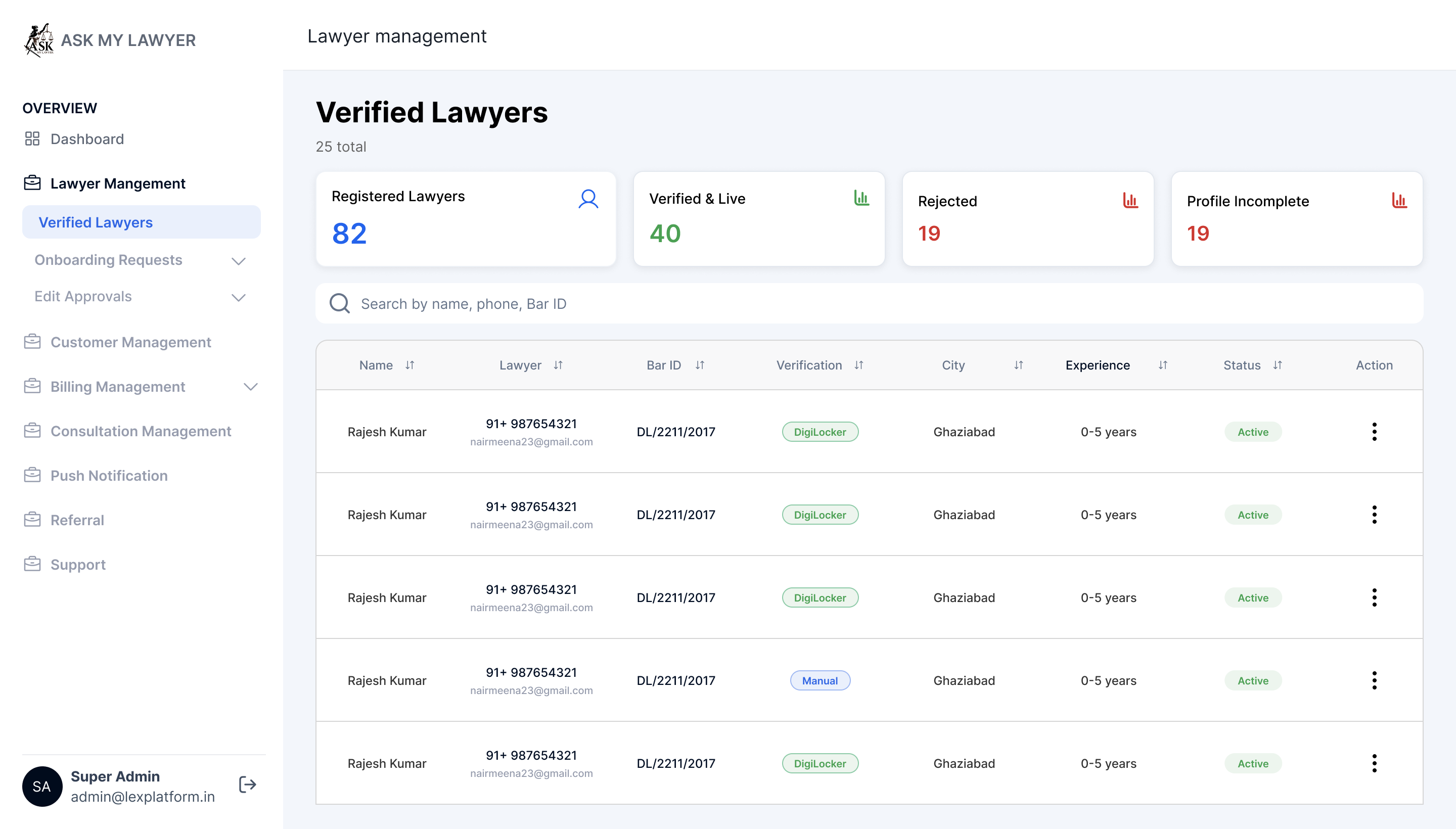
Admin portal: verified lawyer profiles
- Find profiles that completed the platform review workflow.
- Review account and profile status from the verified listing.
11 / The project
Discuss a legal-consultation platform with Bizzeonline
- Define client, professional and admin responsibilities.
- Scope consultation formats, scheduling and support.
- Confirm verification and payment requirements before implementation.
Questions about this project
What was the Ask My Lawyer project about?
A legal-consultation product with client and lawyer app journeys for booking, matching, reports and availability, supported by administration workflows.
What did the Ask My Lawyer experience need to support?
Clients arranging a consultation and lawyers managing availability need coordinated but different interfaces. The project connects the consultation request, practitioner-side activity and the administrative work supporting the service.
Bizzeonline is a brand of Ackrolix. Project scope and visuals come from the shared delivery portfolio; this account has been edited for Bizzeonline. About the team.