01 / The client
Project overview: Keeo
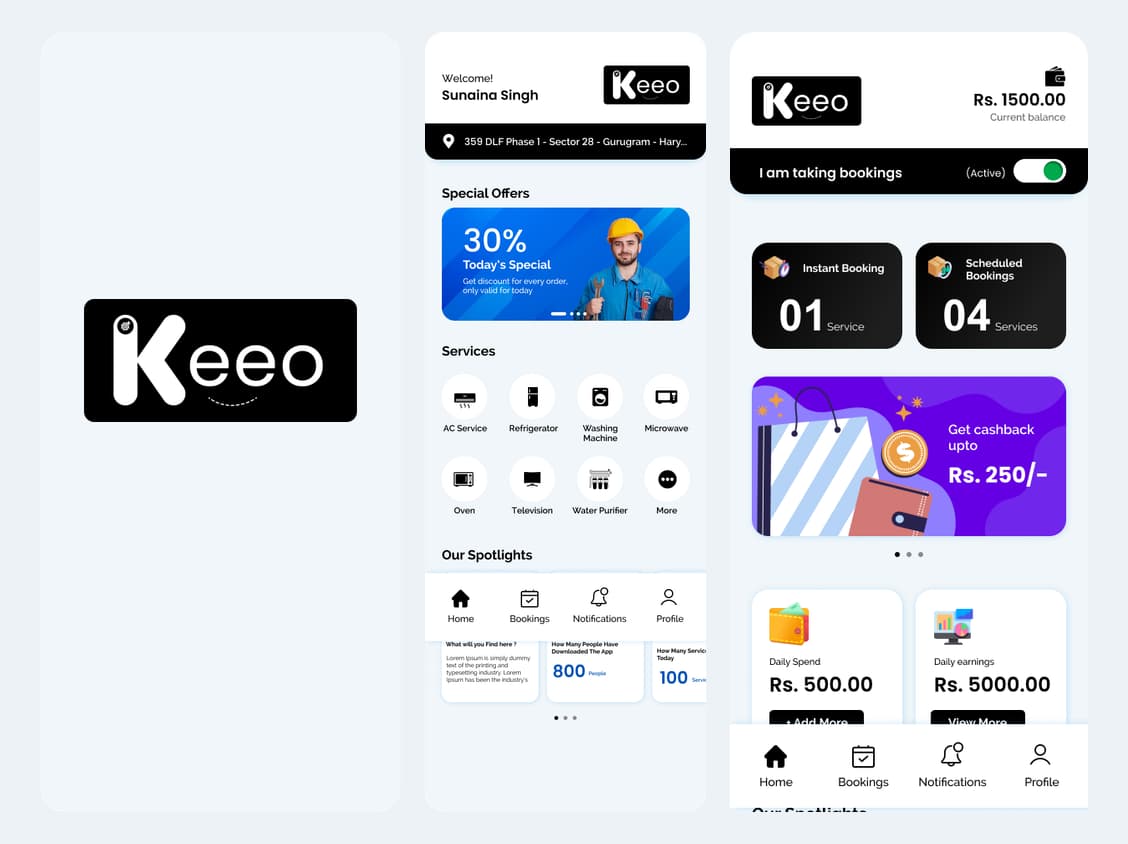
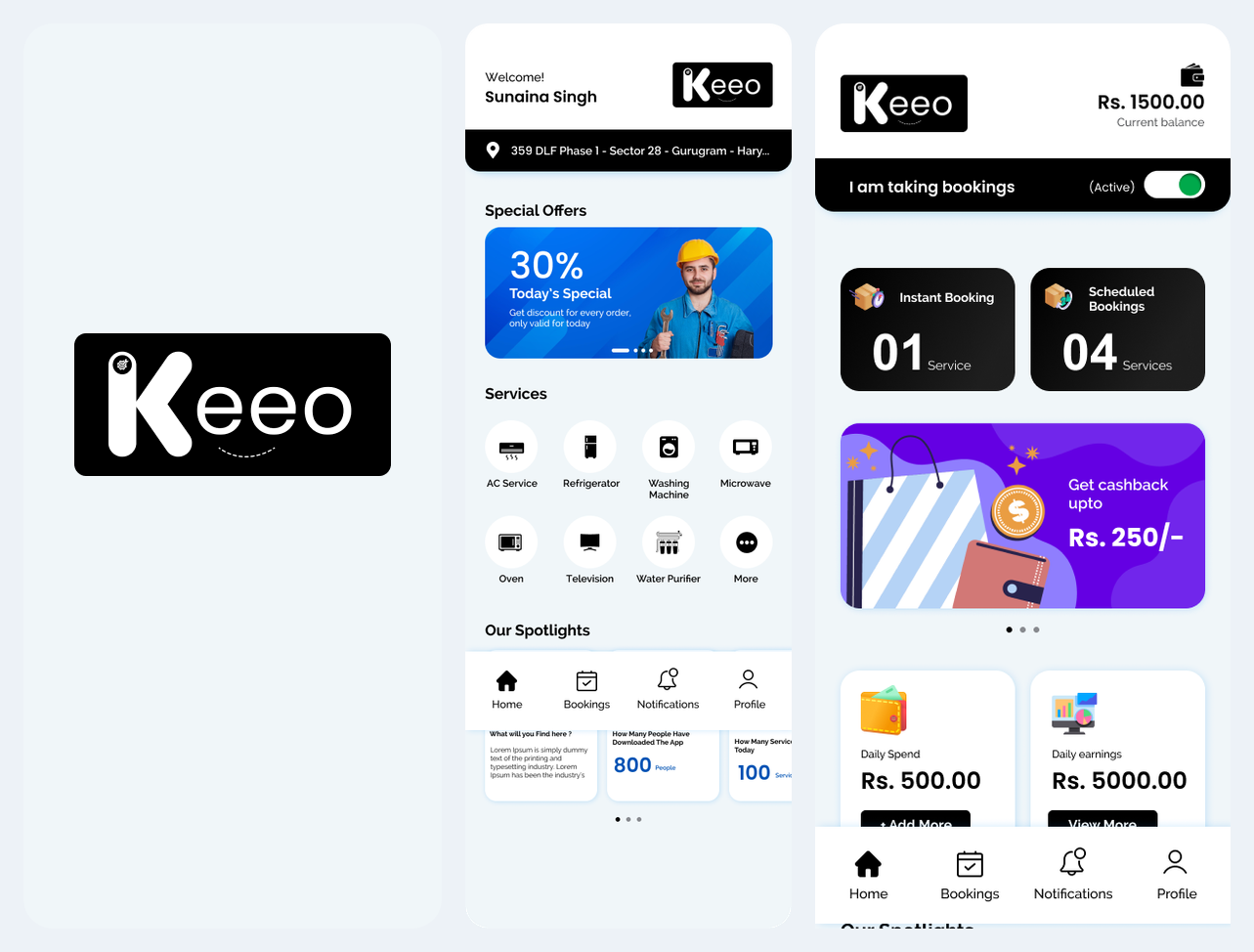
Keeo pairs a customer app with a technician app for appliance services, scheduled bookings, progress updates and service follow-up.
A service booking only works when the customer’s request and the technician’s job information stay connected.
- Customer entry: splash screen → service home → select a service.
- Technician entry: sign in → review dashboard → set booking availability.
- Industry
- E-commerce & On-Demand
- Services / expertise
- Mobile App · On-Demand Services · Booking Management
Planning a similar project? Explore our mobile app development services.
02 / The project
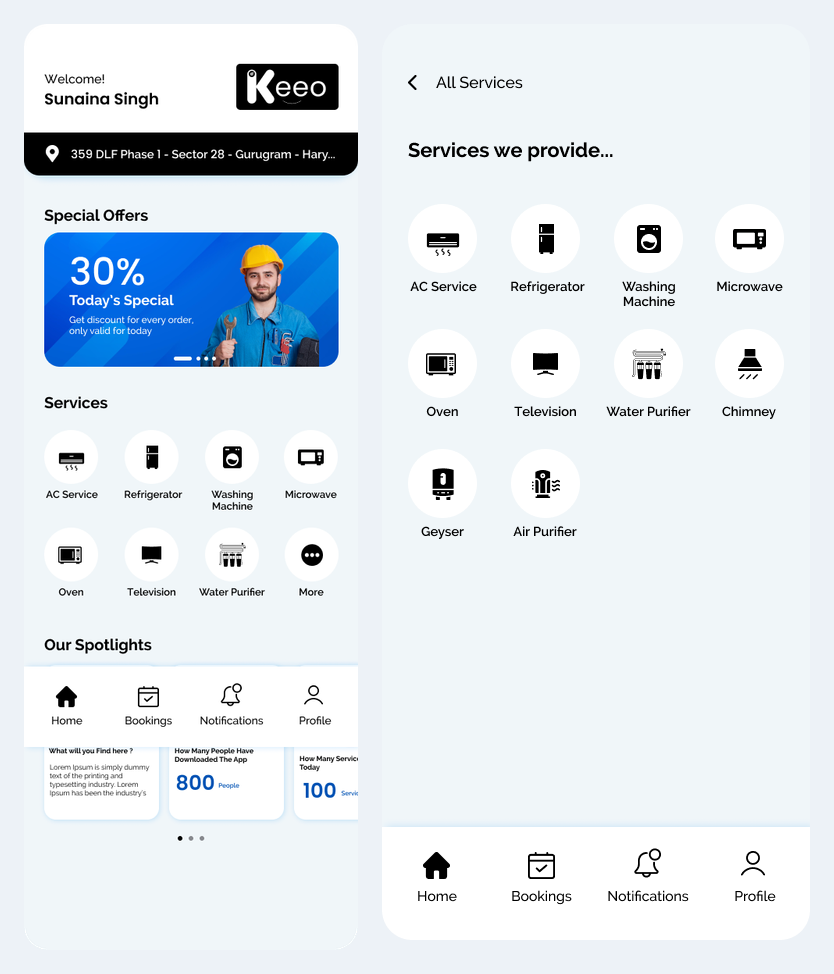
Customer app: service discovery
The customer journey handles discovery and booking, while the technician experience supports the work that follows.
- Browse the service catalogue.
- Choose an appliance service before entering booking details.
03 / The project
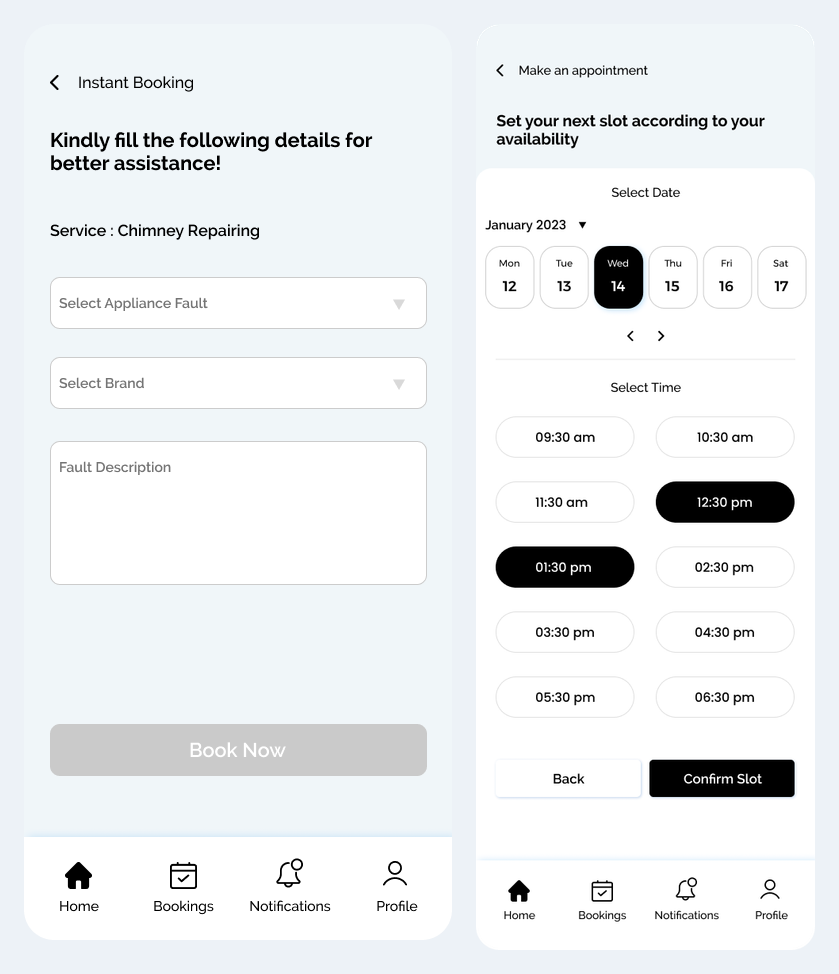
Customer app: instant or scheduled booking
- Instant flow: select service → add fault and brand details → request a technician.
- Scheduled flow: select service → choose date and time → confirm the slot.
04 / The project
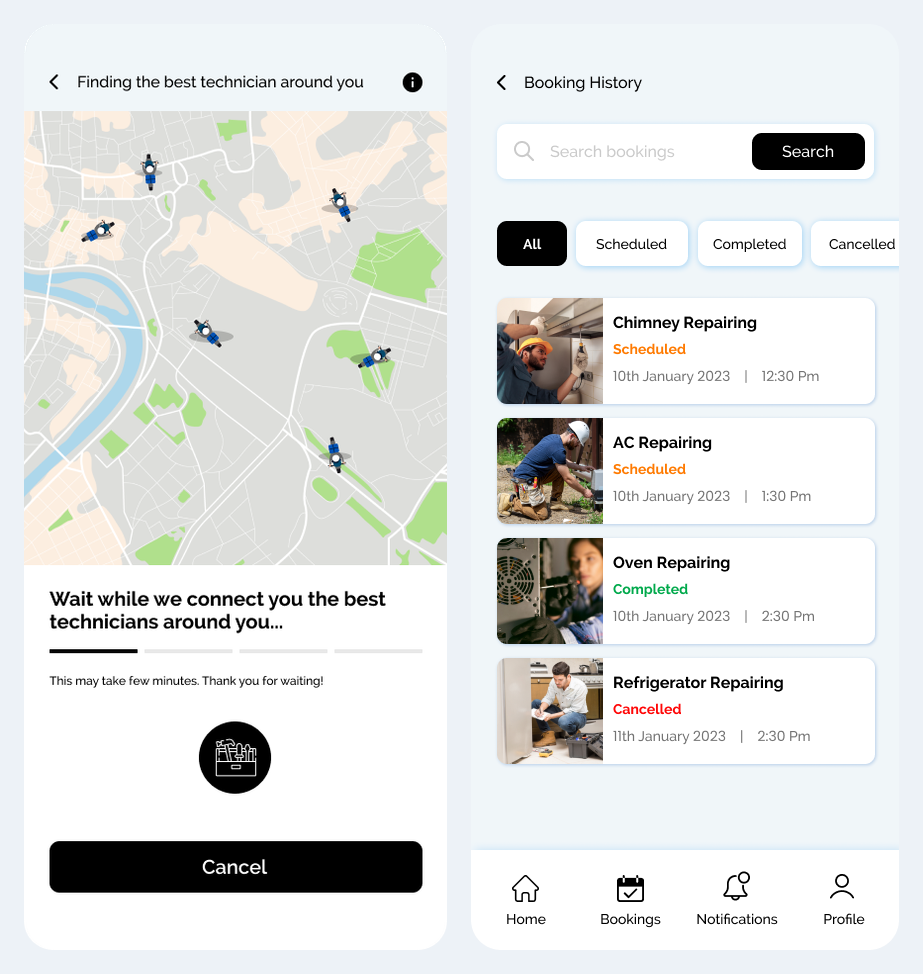
Customer app: matching and booking history
- Show the customer that technician matching is in progress.
- Keep booking status and appointment records together.
05 / The project
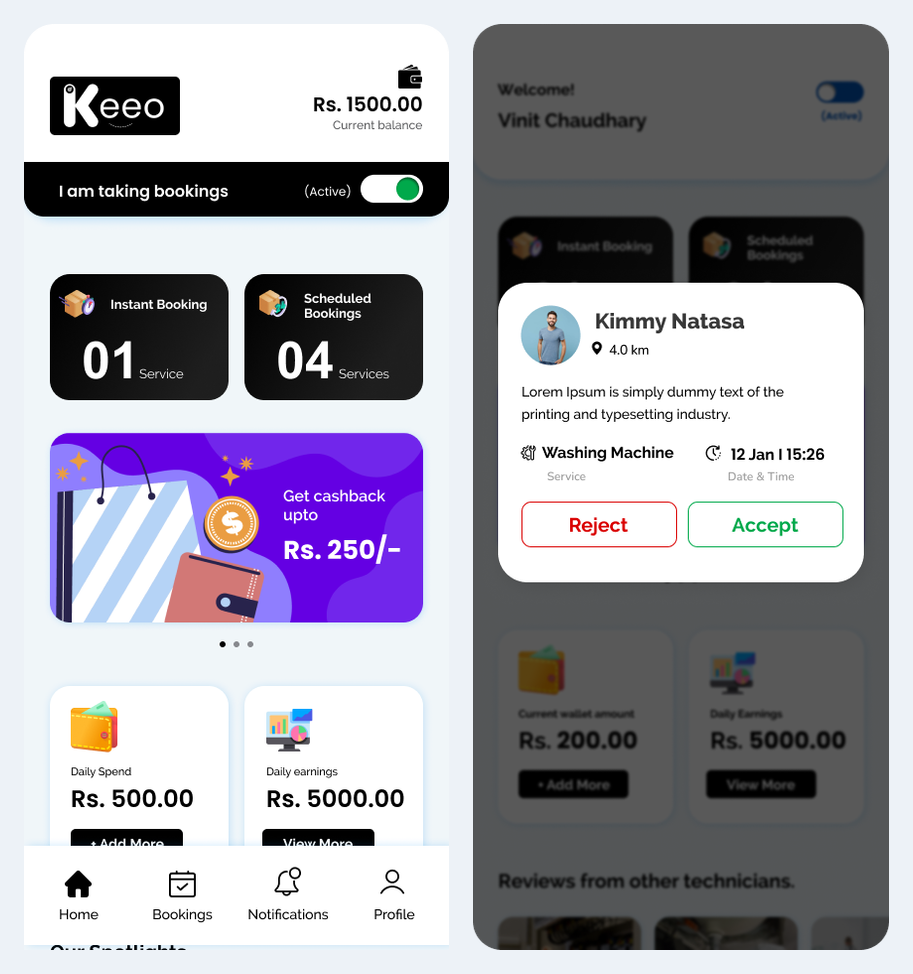
Technician app: availability and request acceptance
- Technician flow: open dashboard → set availability → review request → accept or reject.
- Accepted work continues into customer contact and the service visit.
06 / The project
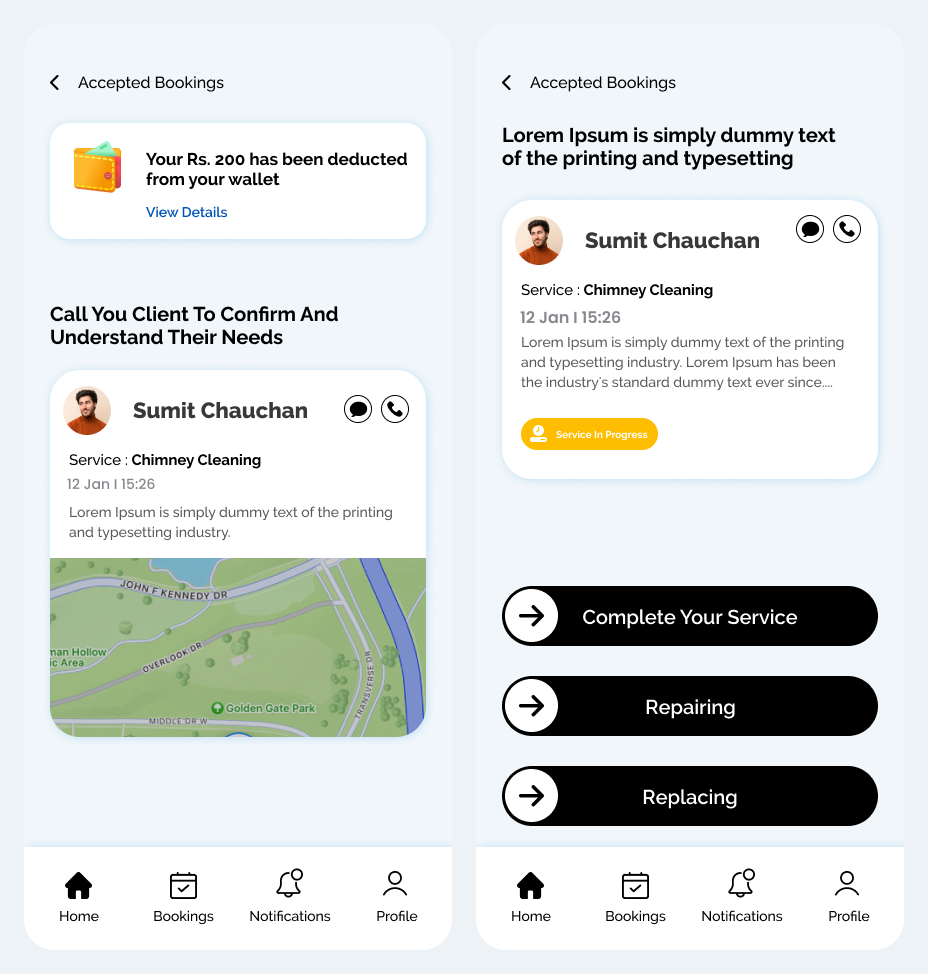
Technician app: service execution and completion
- Review an accepted booking and contact the customer.
- Progress the visit through service, repair or replacement actions.
- Keep completed work available in booking history.
07 / The project
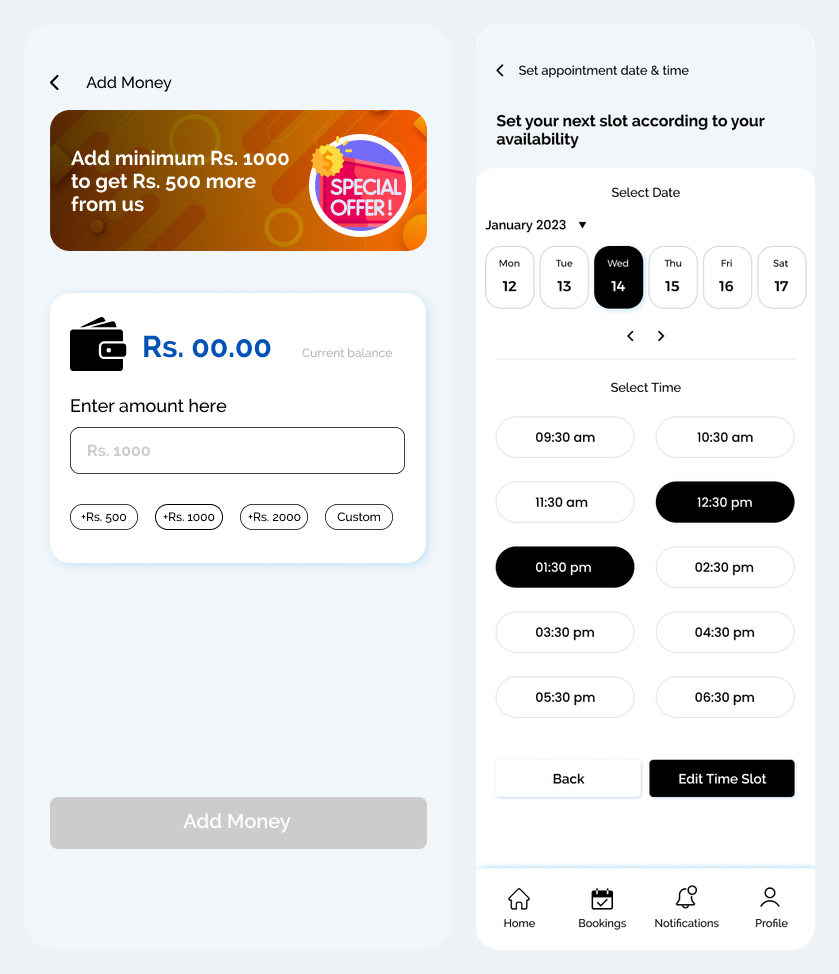
Technician app: wallet and appointment changes
- Wallet view with amount entry and top-up choices.
- Date and time selection for appointment changes.
08 / The project
Suggested platform administration workflow
- Review service categories, technician profiles and service areas.
- Monitor incoming, accepted, scheduled, completed and cancelled bookings.
- Handle scheduling exceptions and customer or technician support requests.
- Review wallet adjustments and service records with appropriate permissions.
09 / The project
Discuss a similar mobile app with Bizzeonline
- Define the main customer and business-user journeys.
- Confirm notifications, permissions and operational ownership.
- Agree integrations and acceptance criteria before estimating delivery.
Questions about this project
What was the Keeo project about?
Keeo pairs a customer app with a technician app for appliance services, scheduled bookings, progress updates and service follow-up.
What did the Keeo experience need to support?
A service booking only works when the customer’s request and the technician’s job information stay connected. The customer journey handles discovery and booking, while the technician experience supports the work that follows.
Bizzeonline is a brand of Ackrolix. Project scope and visuals come from the shared delivery portfolio; this account has been edited for Bizzeonline. About the team.